
Signing up
To get started with Overcast all you need is an account. Just head to our homepage and click on the Overcast HQ button, then:
- Click on the Create your account link.
- Fill in the short form with your contact name, email (also acting as login username) and password.
- Wait for the confirmation email.
- Click on the Activate account button in the confirmation email.
Done, welcome aboard!
After a successful login you can manage you account by clicking on the Account menu item: at any time you can change your email address / login name (requires a new confirmation), your password or your contact name.
Billing and credit card details
Once your account is ready you can immediately start to use the dashboard, edit your details, create new apps and so on, but in order to launch new servers you will also need to input your invoicing and credit card details.
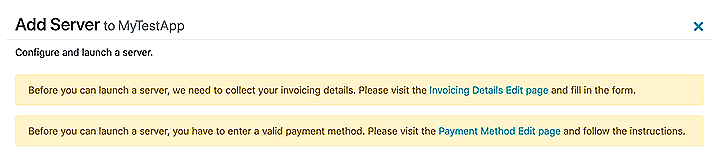
When you see this warning at the top of server launch page, make sure to follow the links and fill in the details. This will only take a minute and it's just required once, in order to complete your profile and be ready to launch servers.